Skip to content
Games & CGI
  • GPUOpen
  • Games & CGI
  • Professional Compute
  • Archive
  • Like
    Radeon GPU Profiler 1.1.0

    Radeon GPU Profiler 1.1.0 It feels like just last week that we released Radeon GPU Profiler (RGP) 1.0.3 but my calendar says almost 2 months …

    12 0 12/12/2017
    Deferred Path Tracing By Enscape

    Insights from Enscape as to how they designed a renderer that produces path traced real time global illumination and can also converge to offline rendered image quality

    8 0 12/06/2017
    Compressonator V2.7 Release adds cross platform support and 3D Model compression with glTF v2.0

    We are excited to announce the release of Compressonator V2.7! This version contains several new features and optimizations, including: Cross Platform Support Due to popular demand, …

    4 1 11/27/2017
    Radeon GPU Profiler 1.0.3

    Radeon GPU Profiler 1.0.3 A couple of months on from the release of 1.0.2, we’ve fully baked and sliced 1.0.3 for your low-level DX12- and …

    11 0 10/18/2017
    AMD GPU Services 5.1.1

    The AMD GPU Services (AGS) library provides game and application developers with the ability to query information about installed AMD GPUs and their driver, in …

    6 1 09/27/2017
    CPU core count detection on Windows

    Due to architectural differences between Zen and our previous processor architecture, Bulldozer, developers need to take care when using the Windows® APIs for processor and core enumeration. …

    17 2 09/14/2017
    Stable barycentric coordinates

    The AMD GCN Vulkan extensions allow developers to get access to some additional functionalities offered by the GCN architecture which are not currently exposed in the Vulkan API. One of these is the ability to access the barycentric coordinates at the fragment-shader level.

    6 0 08/30/2017
    Radeon GPU Profiler 1.0.2

    Thanks (again!) Before we dive into a run over the release notes for the 1.0.2 release of Radeon GPU Profiler, we’d like to thank everyone …

    14 0 08/22/2017
    AMD Vega Instruction Set Architecture documentation

    Understanding the instruction-level capabilities of any processor is a worthwhile endeavour for any developer writing code for it, even if the instructions that get executed …

    18 3 08/10/2017
    Understanding Vulkan objects

    An important part of learning the Vulkan API – just like any other API – is to understand what types of objects are defined in it, what they represent and how they relate to each other. To help with this, we’ve created a diagram that shows all of the Vulkan objects and some of their relationships, especially the order in which you create one from another.

    22 0 08/07/2017
    Open-source Radeon ProRender

    Summary In this blog post we are announcing the open-source availability of the Radeon™ ProRender renderer, an implementation of the Radeon ProRender API. We will give …

    20 0 07/30/2017
    Radeon GPU Profiler 1.0

    Introduction and thanks Effective GPU performance analysis is a more complex proposition for developers today than it ever has been, especially given developments in how …

    26 8 07/26/2017
    TressFX 4 Simulation Changes

    TressFX 4 introduces a number of improvements. This blog post focuses on three of these, all of which are tied to simulation: Bone-based skinning Signed distance …

    15 1 07/20/2017
    Vulkan Memory Allocator 1.0

    Full application control over GPU memory is one of the major differentiating features of the newer explicit graphics APIs such as Vulkan® and Direct3D® 12. …

    11 0 07/10/2017
    Compressonator V2.6 Release Adds HDR Tonemapping Compression, New Image Analysis Features

    We are excited to announce the release of Compressonator V2.6. This version contains several new features and optimizations, including: Adaptive Format Conversion for general transcoding operations …

    4 0 07/03/2017
    Vega Frontier : How to for developers

    When getting a new piece of hardware, the first step is to install the driver. You can see how to install them for the Radeon …

    3 0 06/29/2017
    Vega Frontier : How to install the driver

    In this blog we will go through the installation process of the driver for your new Radeon Vega Frontier card. We will go through the …

    3 5 06/29/2017
    Optimizing GPU occupancy and resource usage with large thread groups

    When using a compute shader, it is important to consider the impact of thread group size on performance. Limited register space, memory latency and SIMD occupancy each affect shader performance in different ways. This article discusses potential performance issues, and techniques and optimizations that can dramatically increase performance if correctly applied.

    45 4 05/24/2017
    DirectX12 Hardware Counter Profiling with Microsoft PIX and the AMD Plugin

    The AMD Developer Tools team is thrilled to announce the availability of the AMD plugin for Microsoft’s PIX for Windows tool. PIX is a performance …

    9 0 05/17/2017
    CodeXL 2.3 is released!

    A new version of the CodeXL open-source developer tool is out! Here are the major new features in this release: CPU Profiling Support for AMD …

    6 0 05/10/2017
    Content Creation Tools and Multi-GPU

    When it comes to multi-GPU (mGPU), most developers immediately think of complicated Crossfire setups with two or more GPUs and how to make their game …

    5 0 05/05/2017
    Capsaicin and Cream developer talks at GDC 2017

    Introduction Shortly after our Capsaicin and Cream event at GDC this year where we unveiled Radeon RX Vega, we hosted a developer-focused event designed to …

    6 0 04/05/2017
    Compressonator V2.5 Release Adds Enhanced HDR Support

     BC6 HDR Compression The BC6H codec has been improved and now offers better quality then previous releases, along with support for both 16 bit Half …

    4 0 03/29/2017
    Live VGPR Analysis with Radeon GPU Analyzer

    This article explains how to use Radeon GPU Analyzer (RGA) to produce a live VGPR analysis report for your shaders and kernels. Basic RGA usage …

    9 5 03/21/2017
    The Radeon Loom Stitching Pipeline

    I’m Mike Schmit, Director of Software Engineering with the Radeon Technologies Group at AMD. I’m leading the development of a new open-source 360-degree video-stitching framework …

    8 3 03/15/2017
    AMD LiquidVR MultiView Rendering in Serious Sam VR

    AMD LiquidVR MultiView Rendering in Serious Sam VR with the GPU Services (AGS) Library AMD’s MultiView Rendering feature reduces the number of duplicated object draw …

    8 1 02/27/2017
    TrueAudio Next Demo and Paper at GameSoundCon

    In 2016, AMD brought TrueAudio Next to GameSoundCon. GameSoundCon was held Sept 27-28 at the Millennium Biltmore Hotel in Los Angeles. GameSoundCon caters to game …

    4 2 02/24/2017
    Profiling video memory with Windows Performance Analyzer

    Budgeting, measuring and debugging video memory usage is essential for the successful release of game titles on Windows. As a developer, this can be efficiently achieved with the …

    10 0 02/09/2017
    GDC 2017 Presentations

    Another year, another Game Developer Conference! GDC is held earlier this year (27 February – 3 March 2017) which is leaving even less time for …

    16 5 02/01/2017
    AGS 5.0 – Shader Compiler Controls

    With the launch of AGS 5.0 developers now have access to the shader compiler control API.  Here’s a quick summary of the how and why…. Background …

    17 0 01/12/2017
    Optimizing Terrain Shadows

    There are many games out there taking place in vast environments. The basic building block of every environment is height-field based terrain – there’s no …

    10 2 12/15/2016
    Leveraging asynchronous queues for concurrent execution

    Understanding concurrency (and what breaks it) is extremely important when optimizing for modern GPUs. Modern APIs like DirectX® 12 or Vulkan™ provide the ability to …

    36 12 12/01/2016
    Selecting the Best Graphics Device to Run a 3D Intensive Application

    Summary Many Gaming and workstation laptops are available with both (1) integrated power saving and (2) discrete high performance graphics devices. Unfortunately, 3D intensive application …

    10 1 11/16/2016
    Vulkan and DOOM

    This post is taking a look at some of the interesting bits of helping id Software with their DOOM® Vulkan™ effort, from the perspective of …

    17 1 11/10/2016
    Implementing LiquidVR™ Affinity Multi-GPU support in Serious Sam VR

    This blog is guest authored by Croteam developer Karlo Jez and he will be giving us a detailed look at how Affinity Multi-GPU support was …

    12 0 10/31/2016
    AMD Driver Symbol Server

    When opening a 64-bit crash dump you will find that you will not necessarily get a sensible call stack. This is because 64-bit crash dumps …

    38 6 10/27/2016
    Vulkan barriers explained

    Vulkan™’s barrier system is unique as it not only requires you to provide what resources are transitioning, but also specify a source and destination pipeline …

    22 10 10/18/2016
    VDR Follow Up – Tonemapping for HDR Signals

    This is the third post in the follow up series to my prior GDC talk on Variable Dynamic Range. Prior posts covered dithering, today’s topic …

    7 0 10/05/2016
    Using RapidFire for Virtual Desktop and Cloud Gaming

    Virtual desktop infrastructure systems and cloud gaming are increasingly gaining popularity thanks to an ever more improved internet infrastructure. This gives more flexibility to the …

    7 0 09/27/2016
    AMD TrueAudio Next and CU Reservation – What is the Context?

    As noted in my previous blog, new innovations in virtual reality have spearheaded a renewed interest in audio processing, and many new as well as …

    27 0 09/26/2016
    Anatomy Of The Total War Engine: Part V

    This week marks the last in the series of our regular Warhammer Wednesday blog posts. We’d like to extent our thanks to Creative Assembly’s Lead …

    13 0 08/22/2016
    The Importance of Audio in VR

    Audio Must be Consistent With What You See Virtual reality demands a new way of thinking about audio processing. In the many years of history …

    10 8 08/16/2016
    Anatomy Of The Total War Engine: Part IV

    Happy Warhammer Wednesday! This week Creative Assembly’s Lead Graphics Programmer Tamas Rabel talks about how Total War: Warhammer utilized asynchronous compute to extract some extra …

    8 0 08/16/2016
    Anatomy Of The Total War Engine: Part III

    It’s Wednesday, so we’re continuing with our series on Total War: Warhammer. Here’s Tamas Rabel again with some juicy details about how Creative Assembly brought …

    16 2 08/10/2016
    Blazing CodeXL 2.2 is here!

    A new release of the CodeXL open-source developer tool is out! Here’s the hot new stuff in this release: New platforms support Support Linux systems …

    21 5 08/08/2016
    Anatomy Of The Total War Engine: Part II

    We’re back again on this fine Warhammer Wednesday with more from Tamas Rabel, Lead Graphics Programmer on the Total War series. In last week’s post …

    5 1 08/03/2016
    Anatomy Of The Total War Engine: Part I

    For the next few weeks we’ll be having a regular feature on GPUOpen that we’ve affectionately dubbed “Warhammer Wednesdays”. We’re extremely lucky to have Tamas Rabel, …

    12 10 07/27/2016
    Texel Shading

    Game engines do most of their shading work per-pixel or per-fragment. But there is another alternative that has been popular in film for decades: object …

    23 2 07/21/2016
    Vulkan Device Memory

    EDIT: 2016/08/08 – Added section on Targeting Low-Memory GPUs This post serves as a guide on how to best use the various Memory Heaps and …

    31 1 07/21/2016
    Performance Tweets Series: Root signature & descriptor sets

    Before Direct3D® 12 and Vulkan™, resources were bound to shaders through a “slot” system. Some of you might remember when hardware did have only very …

    4 8 07/14/2016
    Performance Tweets Series: Multi-GPU

    Multi-GPU systems are much more common than you might think. Most of the time, when someone mentions mGPU, you think about high-end gaming machines with …

    14 2 07/05/2016
    Compressonator v2.3 Release Delivers ASTC, ETC2 Codec Support and GPU Rendered Image Views

    Compressonator is a set of tools to allow artists and developers to more easily create compressed texture image assets and easily visualize the quality impact …

    9 0 06/27/2016
    Performance Tweets Series: Debugging & Robustness

    Prior to explicit graphics APIs a lot of draw-time validation was performed to ensure that resources were synchronized and everything set up correctly. A side-effect of this robustness …

    6 0 06/22/2016
    Performance Tweets Series: Rendering and Optimizations

    Direct3D® 12 and Vulkan™ significantly reduce CPU overhead and provide new tools to better use the GPU. For instance, one common use case for the …

    3 0 06/14/2016
    Performance Tweets Series: Streaming & Memory Management

    As promised, we’re back and today I’m going to cover how to get resources to and from the GPU. In the last post, we learned …

    5 0 06/07/2016
    CodeXL 2.1 is out and Searing hot with Vulkan

    A new CodeXL release is out! For the first time the AMD Developer Tools group worked on this release on the CodeXL GitHub public repository, …

    20 0 05/31/2016
    ShadowFX Effect Library for DirectX 12

    Today, we are excited to announce that we are releasing an update for ShadowFX that adds support for DirectX® 12. Features Different shadowing modes Union of …

    12 1 05/26/2016
    Turbocharge your Graphics and GPU Compute Applications with GPUPerfAPI

    Achieving high performance from your Graphics or GPU Compute applications can sometimes be a difficult task. There are many things that a shader or kernel …

    11 3 05/25/2016
    GCN Shader Extensions for Direct3D and Vulkan

    The GCN architecture contains a lot of functionality in the shader cores which is not currently exposed in current APIs like Vulkan™ or Direct3D® 12. One …

    21 11 05/24/2016
    AMD DOPPEngine – Post Processing on Your Desktop in Practice

    A Complete Tool to Transform Your Desktop Appearance After introducing our Display Output Post Processing (DOPP) technology, we are introducing a new tool to change …

    31 0 05/23/2016
    Fast compaction with mbcnt

    Compaction is a basic building block of many algorithms – for instance, filtering out invisible triangles as seen in Optimizing the Graphics Pipeline with Compute. …

    12 8 05/20/2016
    TressFX 3.1

    We are releasing TressFX 3.1. Our biggest update in this release is a new order-independent transparency (OIT) option we call “ShortCut”. We’ve also addressed some of …

    10 4 05/19/2016
    GeometryFX 1.2 – Cluster Culling

    Today’s update for GeometryFX introduces cluster culling. Previously, GeometryFX worked on a per-triangle level only. With cluster culling, GeometryFX is able to reject large chunks …

    7 5 05/18/2016
    Unlock the Rasterizer with Out-of-Order Rasterization

    Full-speed, out-of-order rasterization If you’re familiar with graphics APIs, you’re certainly aware of the API ordering guarantees. At their core, these guarantees mean that if …

    13 6 05/17/2016
    AMD FireRays 2.0 – Open Sourcing and Customizing Ray Tracing for Efficient Hardware Platforms Support

    A New Milestone After the success of the first version, FireRays is moving to another major milestone. We are open sourcing the entire library which …

    29 2 05/16/2016
    Slides from our “The most common Vulkan mistakes” talk

    Last week, we organized a two hours-long talk at University of Lodz in Poland where we discussed the most common mistakes we come across in Vulkan applications. Dominik Witczak, …

    8 5 05/13/2016
    Compressonator (AMD Compress) is Going Open Source

    We are very pleased to be announcing that AMD is open-sourcing one of our most popular tools and SDKs.  Compressonator (previously released as AMD Compress …

    15 0 05/12/2016
    AMD Crossfire API

    Gaming at optimal performance and quality at high screen resolutions can sometimes be a demanding task for a single GPU. 4K monitors are becoming mainstream and gamers …

    18 5 05/05/2016
    AMD GPU Services, an introduction

    If you have supported Crossfire™ or Eyefinity™ in your previous titles, then you have probably already used our AMD GPU Services (AGS) library.  A lot of …

    17 1 04/28/2016
    Performance Tweets Series: Resource Creation

    Resource creation and management has changed dramatically in Direct3D® and Vulkan™ compared to previous APIs. In older APIs, memory is managed transparently by the driver. …

    8 0 04/20/2016
    CodeXL 2.0 is Here and Open Source

    CodeXL major release 2.0 is out! It is chock-full of new features and a drastic change in the CodeXL development model: CodeXL is now open …

    26 6 04/19/2016
    VDR Follow Up – Grain and Fine Details

    The prior post in this series established a base technique for adding grain, and now this post is going to look at very subtle changes to …

    3 0 04/13/2016
    Performance Tweets Series: Shaders, Threading, Compiling

    Welcome back to our performance & optimization series. Today, we’ll be looking more closely at shaders. On the surface, it may look as if they …

    12 1 04/06/2016
    VDR Follow Up – Fine Art of Film Grain

    This is the first of a series of posts expanding on the ideas presented at GDC in the Advanced Techniques and Optimization of VDR Color …

    8 1 04/04/2016
    GDC 2016 Presentations Available

    The Game Developer Conference 2016 was an event of epic proportions. Presentations, tutorials, round-tables, and the show floor are only one part of the story …

    8 2 03/30/2016
    GCN Memory Coalescing

    This post describes how GCN hardware coalesces memory operations to minimize traffic throughout the memory hierarchy. The post uses the term “invocation” to describe one …

    13 1 03/21/2016
    Delta Color Compression Overview

    Bandwidth is always a scarce resource on a GPU. On one hand, hardware has made dramatic improvements with the introduction of ever faster memory standards …

    23 10 03/14/2016
    Using the Vulkan™ Validation Layers

    Vulkan™ provides unprecedented control to developers over generating graphics and compute workloads for a wide range of hardware, from tiny embedded processors to high-end workstation GPUs with wildly different …

    39 6 03/09/2016
    GDC 2016 Presentations

    The Game Developer Conference 2016 (GDC16) is held March 14-18 in the Moscone Center in San Francisco. This is the most important event for game developers, …

    35 0 02/29/2016
    Performance Tweets series: Barriers, fences, synchronization

    Welcome back to our DX12 series! Let’s dive into one of the hottest topics right away: synchronization, that is, barriers and fences! Barriers A barrier is …

    15 1 02/22/2016
    Vulkan Renderpasses

    Vulkan™ is a high performance, low overhead graphics API designed to allow advanced applications to drive modern GPUs to their fullest capacity. Where traditional APIs …

    55 0 02/16/2016
    Say Hello to a New Rendering API in Town!

    Imagine that you were asked one day to design an API with bleeding-edge graphics hardware in mind. It would need to be as efficient as …

    45 3 02/16/2016
    Performance Tweets Series: Command lists

    Hello and welcome to our series of blog posts covering performance advice for Direct3D® 12 & Vulkan™. You may have seen the #DX12PerfTweets on Twitter, and …

    10 1 02/10/2016
    Fetching From Cubes and Octahedrons

    For GPU-side dynamically generated data structures which need 3D spherical mappings, two of the most useful mappings are cubemaps and octahedral maps. This post explores …

    10 0 02/04/2016
    It’s Time to Open up the GPU

    I have met enough game developers in my professional life to know that these guys are among the smartest people on the planet. Those particular individuals will go …

    412 33 01/26/2016
    Up and Running with CodeXL Analyzer CLI

    About CodeXL Analyzer CLI CodeXL Analyzer CLI is an offline compiler and performance analysis tool for OpenCL™ kernels, DirectX® shaders and OpenGL® shaders. Using CodeXL …

    24 0 01/26/2016
    Create Your own GPU PerfStudio DirectX® 12 Plugin

    GPU PerfStudio supports DirectX® 12 on Windows® 10 PCs. The current tool set for DirectX 12 comprises of an API Trace, a new GPU Trace …

    10 0 01/26/2016
    Maxing out GPU usage in nBodyGravity

    Today we’re going to take a look at how asynchronous compute can help you to get the maximum out of a GPU. I’ll be explaining …

    26 4 01/26/2016
    Have You Tootled Your 3D Models?

    What’s New With the recent adoption of new APIs such as DirectX® 12 and Vulkan™, we are seeing renewed interest in an older tool.  AMD …

    35 0 01/26/2016
    Optimized Reversible Tonemapper for Resolve

    A typical problem with MSAA Resolve mixed with HDR is that a single sample with a large HDR value can over-power all other samples, resulting …

    16 0 01/26/2016

    Open-source Radeon ProRender

    Posted on July 30, 2017July 30, 2017 by Bruno Stefanizzi
    OpenCL, ProRender, Radeon Rays, ray tracing

    Summary

    In this blog post we are announcing the open-source availability of the Radeon™ ProRender renderer, an implementation of the Radeon ProRender API. We will give a brief summary of its features and provide some technical insights into the internals of the renderer.

    This initiative was started as a sample application demonstrating the usage of the AMD Radeon Rays intersection engine. It then evolved into a fully functional rendering engine aimed at graphics researchers, educational institutions and open-source enthusiasts in general. It is also an example aimed for developers to test integrating Radeon ProRender into their own applications.

    Radeon ProRender is a fast and efficient GPU-based global illumination renderer implemented using OpenCL™ and relying on AMD’s Radeon Rays intersection engine. It is cross-platform and vendor independent. The only requirement it imposes on the hardware is OpenCL 1.2 support. Radeon ProRender maintains a high level of performance across all vendors, but is specifically optimized for AMD GPUs and APUs.

    Features

    Please note the Radeon ProRender plugins have some features which are not currently available in the open source Radeon ProRender package. However, Radeon ProRender has a robust set of features such as:

    Light transport

    “Science Fiction” scene is a courtesy of Juan Carlos Silva, 3drender.com.

    Radeon ProRender is essentially a biased path-tracer, however it is highly configurable and can therefore be setup to run ray-tracing (sampling multiple light sources at once) instead of pure path tracing. An implementation of a bidirectional path tracing solver is being developed.
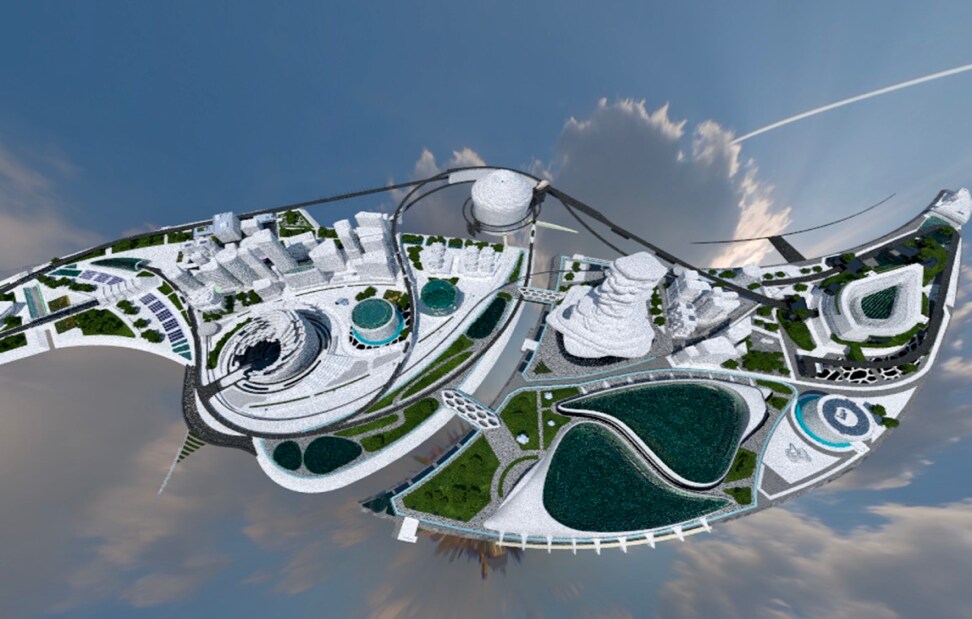
    Geometry

    “City of the future 4” scene, provided by turbosquid.com: https://www.turbosquid.com/FullPreview/Index.cfm/ID/1088714

    To maintain high efficiency Radeon ProRender only supports triangle meshes and instances. However, quads can be used while working with Radeon ProRender via the Radeon ProRender API. This is possible because the API layer is capable of pre-tessellating quads and passing triangle meshes down to Radeon ProRender. The size of triangle meshes is only limited by available GPU memory. Instancing can be used to greatly reduce memory footprint by reusing geometric data and acceleration structures.

    Internally meshes and instances are represented using the Shape interface. If used through Radeon ProRender API meshes and instances are represented by the rpr_shape opaque pointer type.
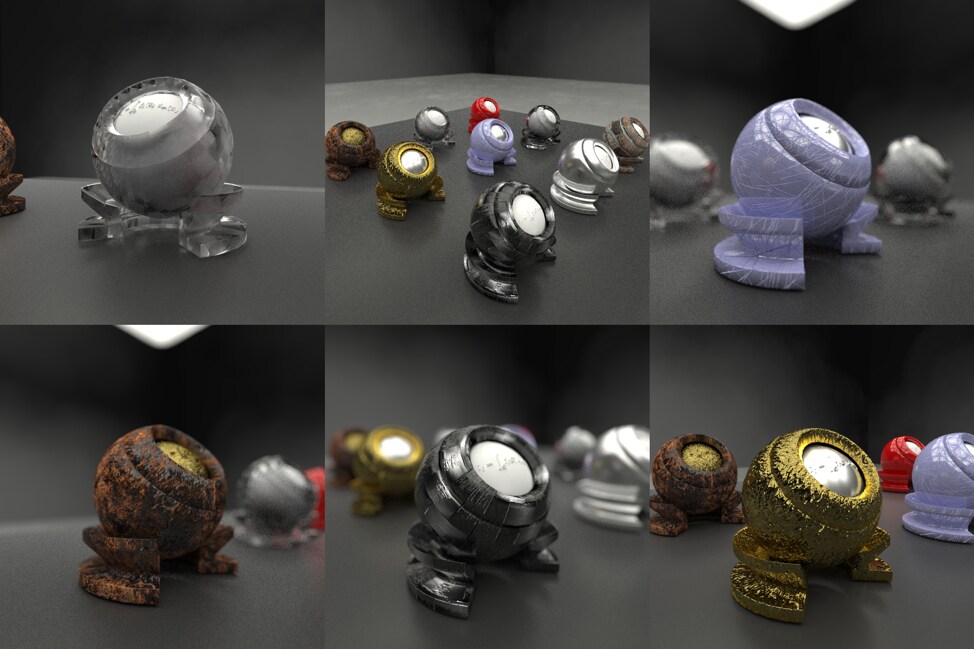
    Materials

    “Material orb” scene, courtesy of Silicon Studios

    Radeon ProRender supports compound materials assembled from the following building blocks:

    • Matte BRDF (Lambertian)
    • Microfacet BRDF (GGX or Beckmann distributions)
    • Ideal reflection BRDF
    • Ideal refraction BTDF
    • Microfacet refraction BTDF (GGX or Beckmann distributions)
    • Transparent BTDF
    • Translucent BTDF
    • Emission

    Each of these building blocks can have:

    • Built-in Fresnel factor
    • Normal map
    • Bump map

    Building blocks are combined together using one of the following blend modes:

    • Mix – linear interpolation of components using fixed weight
    • Fresnel blend – linear interpolation of components with weight depending on angle of incidence

    Materials can use RGBA uint8, float16 or float32 uncompressed textures for albedos, weights and normal/bump maps.

    Internally materials are represented as a subclass of the Material class: SingleBxdf for individual components and MultiBxdf for compound materials. At the Radeon ProRender API level they are represented by the rpr_material_node opaque pointer. Note that not all Radeon ProRender materials are currently supported by Radeon ProRender open-source (see below section).

    Lights

    BMW Blender Benchmark model, courtesy of Mike Pan

    Radeon ProRender supports the following types of lights:

    • Point light
    • Directional light
    • Spot light
    • Area light (emissive geometry)
    • Image-based environment light

    All lights are internally represented by different subclasses of the Light interface. If being used via the RPR API, lights are represented by the rpr_light opaque pointer.
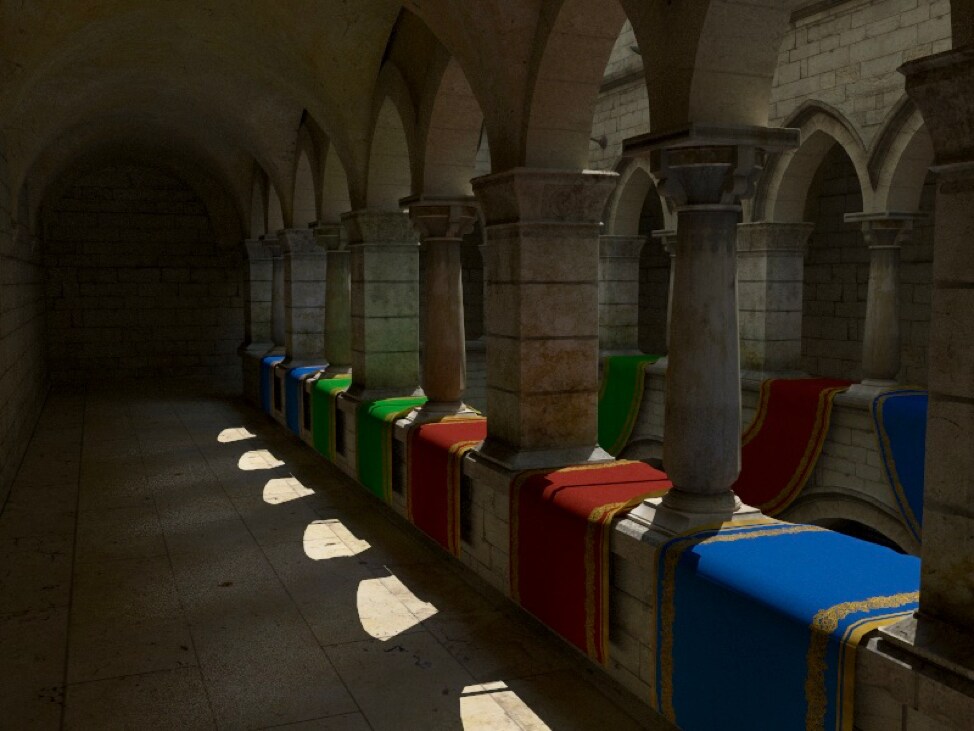
    Sampling

    “Crytek Sponza” scene, courtesy of Frank Meinl, Crytek

    Radeon ProRender can use one of the following samplers for random points/directions generation:

    • Random sampler (less efficient, mainly for debugging)
    • Sobol quasi- Monte-Carlo sampler
    • Correlated multi-jittered sampler

    In addition, Radeon ProRender is using multiple importance sampling to reduce variance for both direct and indirect illumination. It also applies Russian roulette to terminate low-probability paths.

    GPU execution model

    Radeon ProRender is based on a split-kernel architecture to avoid Vector General Purpose Register (VGPR) occupancy bottlenecks and broadly uses GPU-optimized parallel primitives to restructure the work to better fit a massively parallel GPU architecture. First, the renderer is designed for progressive preview and has a synchronous nature. Meaning it has a Render() function which is getting called by the user in the loop and every call to this function adds a single sample to each pixel refining the image. This model allows to keep latency under control and manipulate the scene and the camera while rendering. Inside the Render() function each OpenCL work item is assigned a single pixel. As iterations (bounces) progress, fewer rays remain alive, so the Render() function compacts  the work to minimize GPU thread divergence.

    Each call to Render() results in the following sequence of kernel calls:

    1. Spawn primary rays into ray buffer
    2. Trace ray buffer
    3. Apply potential volumetric scattering events (some ray misses might become hits here)
    4. Compact sparse hits buffer
    5. Evaluate volume material
    6. Evaluate surface material and generate light samples and shadow rays
    7. Trace shadow rays and add contributing light samples
    8. Sample surface and generate extension rays into rays buffer
    9. Go to step 2 (if bounce limits are not reached)

    Performance

    In terms of latency the renderer is capable of maintaining high FPS while doing progressive rendering for moderately sized scenes. For example on the following “Science Fiction” scene (775K triangles) Radeon ProRender produces 15 FPS in full HD resolution on a Radeon R9 Nano graphics card.

    In terms of intersection throughput performance is determined by the underlying Radeon Rays engine. Below are several examples using the “Science Fiction” scene on a Radeon R9 Fury X graphics card:
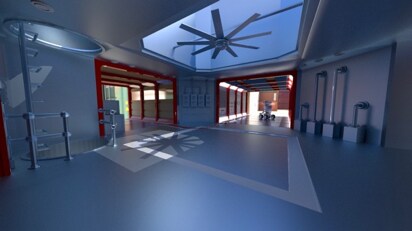
    Primary rays: 773 Mrays/s (2.68ms)

    Secondary rays: 285 Mrays/s (7.27ms)

    Shadow rays: 1109 Mrays/s (1.87ms)



    Primary rays: 470 Mrays/s (4.42ms)

    Secondary rays: 195 Mrays/s (10.66ms)

    Shadow rays: 800 Mrays/s (2.59ms)



    Primary rays: 562 Mrays/s (3.69ms)

    Secondary rays: 270 Mrays/s (7.67ms)

    Shadow rays: 1219 Mrays/s (1.7ms)


    Radeon Pro Render API support

    We provide an implementation of the Radeon ProRender API with Radeon ProRender open-source. The implementation is still in an early state of development so many features available in the internal RadeonTM ProRender core are not available in the open-source back end. The list of unsupported features follow:

    • Full material system (currently only basic BRDFs and blends of them are supported, no procedurals and arithmetic nodes)
    • Volumetrics (currently work in progress in Radeon ProRender)
    • IES lights
    • Visibility flags
    • Displacement and subdivision
    • Tilt shift camera
    • Bokeh shape controls
    • Multiple UVs
    • Post-processing
    • Analytic sky system

    Conclusion

    In this blogpost we have introduced a new open-source physically renderer and an open-source implementation of the Radeon ProRender API based on it. The renderer is fully open-source, cross-platform and demonstrates good performance across a whole range of hardware.

    GitHub repo

    https://github.com/GPUOpen-LibrariesAndSDKs/RadeonProRender-Baikal

    Banner image created by The Pixelary using Radeon ProRender for Blender.
    Bruno Stefanizzi is Senior Manager for AMD FirePro Developer Technology at AMD. Links to third party sites and references to third party trademarks, are provided for convenience and illustrative purposes only. Unless explicitly stated, AMD is not responsible for the contents of such links, and no third party endorsement of AMD or any of its products is implied.

    0 Comments

    Comment

    Leave a Reply Cancel reply

    Your email address will not be published. Required fields are marked *

    • Terms and Conditions
    • /
    • Privacy
    • /
    • Cookie Policy
    • /
    • Trademarks
    ©2018 Advanced Micro Devices, Inc. OpenCL™ and the OpenCL™ logo are trademarks of Apple, Inc., used with permission by Khronos.